
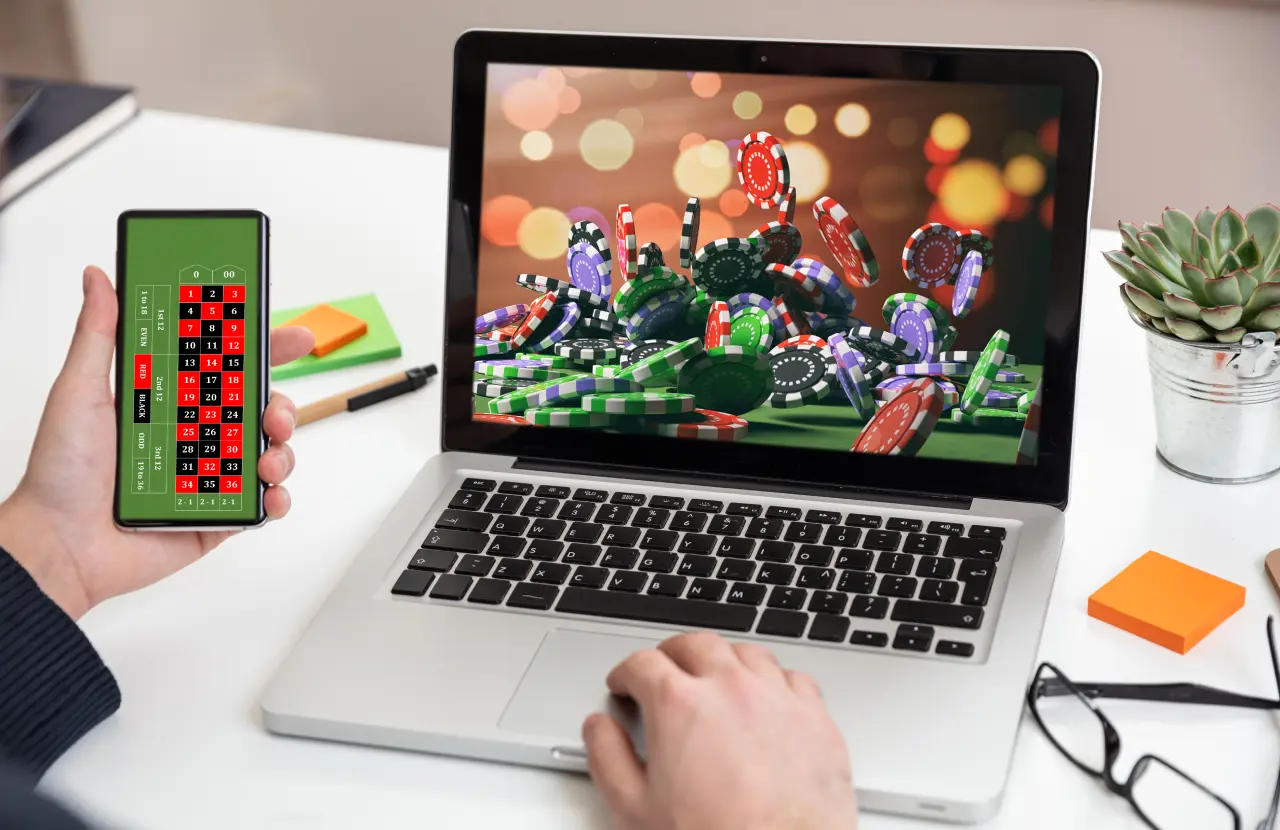
Mobile slot games aren’t just smaller versions of desktop slots squeezed onto your phone screen. Game developers design mobile slots differently from the ground up because phones and computers handle games in completely different ways, from how you interact with the screen to how much processing power is available. The way you tap and swipe changes how buttons are placed, while battery life and data usage affect how graphics load.
Understanding these differences helps explain why your favorite slot game might feel different on your phone compared to your computer. Developers have to make specific choices about controls, visuals, and features based on whether you’re playing on a touchscreen or using a mouse.
This shift goes beyond simple technical adjustments. Today’s slot games are often created for mobile devices first, then adapted for desktop play. You’ll discover how screen size, device capabilities, and even how you hold your phone influence every part of the gaming experience.
Fundamental Differences Between Mobile and Desktop Slot Games
Mobile and desktop slot games operate on different technical foundations that shape how developers build them. Screen dimensions, processing power, and touch versus click controls create distinct challenges that require unique solutions.
Responsive Design Principles
Responsive design adapts slot games to fit any screen size automatically. Developers must rearrange game elements like reels, pay tables, and control buttons to work on both wide desktop monitors and narrow phone screens.
Your desktop screen gives you a full view of all game information at once. The reels sit in the center, with betting controls on the bottom and pay tables visible on the side. Mobile screens change this layout completely. Developers stack elements vertically or hide secondary information in menus that you can tap to access.
Touch targets on mobile need to be larger than desktop click areas. Your finger is less precise than a mouse cursor, so buttons must be spaced apart and sized bigger. This requirement forces designers to simplify mobile interfaces and remove elements that would make the screen too crowded.
Hardware Compatibility Challenges
Your mobile device has less processing power and memory than your desktop computer. This gap affects how games render graphics and animations. Developers often reduce visual effects, lower texture quality, or decrease animation frame rates on mobile versions to keep games running smoothly.
Battery life creates another constraint that desktop games don’t face. Complex graphics and constant calculations drain your phone battery quickly. Game studios optimize mobile slots to use less power, which sometimes means simpler visual effects or reduced background animations.
Internet connectivity varies more on mobile devices. You might switch between WiFi and cellular data or move through areas with weak signals. Mobile slots need to handle these connection changes without crashing or losing your game progress.
Operating System Variations
Mobile slots must work across iOS and Android systems, which use different programming languages and standards. Your iPhone runs games differently than your Android phone, so developers build separate versions or use cross-platform tools that add complexity.
Desktop slots typically run through web browsers, which creates more consistency. Whether you use Windows, Mac, or Linux, browser-based games work similarly. Some casinos offer downloadable software, but these are becoming less common.
Update cycles differ between platforms. Mobile app stores review and approve updates, which can delay bug fixes or new features by several days. Desktop browser games update instantly when you refresh the page.
User Interface and Experience Adaptations
Mobile slot games require different interface designs because players use their fingers instead of a mouse, work with smaller screens, and need simpler navigation systems. These changes affect how buttons are sized, where information appears, and how players move through the game.
Touchscreen Versus Mouse Controls
When you play slots on mobile, you tap and swipe directly on the screen. This means buttons need to be larger and spaced further apart than desktop versions. Most mobile slots use buttons that are at least 44 pixels wide to prevent accidental taps.
Desktop slots rely on precise mouse clicks and hover effects. You can see additional information when you move your cursor over symbols or buttons. Mobile versions can’t use hover effects, so they display key information upfront or through long-press gestures.
The spin button on mobile takes up more screen space and sits where your thumb naturally rests. Common gestures include:
- Tap to spin the reels
- Swipe up to access betting options
- Pinch to zoom on paytables
- Double tap for auto-spin features
Touch controls make gameplay faster but require different button placement to avoid blocking the reels with your hand.
Screen Size Considerations
Your mobile screen offers roughly one-third the space of a desktop monitor. Game developers place the most important elements in the center where reels spin. Secondary information like your balance and bet amount appears in compact corners.
Mobile slots often hide detailed statistics and paytables behind menu buttons. You access these by tapping icons rather than seeing everything at once. Portrait mode works best for most mobile slots because it matches how you naturally hold your phone.
Desktop versions spread information across a wide screen. You see your game history, detailed statistics, and multiple betting options simultaneously without switching between screens.
Navigation and Menu Simplification
Mobile slot menus use icon-based systems instead of text labels. You’ll find a hamburger menu (three lines) for settings, a question mark for help, and a chip icon for betting options. These symbols take less space than words.
Desktop slots display full text menus and multiple tabs across the top or sides of the screen. You can open several windows at once to compare information.
Mobile versions limit menu depth to two or three levels. This prevents you from getting lost in nested options. The most-used features like spin, bet adjustment, and balance appear on the main screen at all times.
Gameplay Adjustments for Mobile Slot Games
Mobile slot games require specific gameplay changes to work well on smaller screens and match how people use their phones. These changes affect game speed, session design, and technical performance.
Optimized Game Mechanics for Mobile
Mobile slots use touch-based controls that place buttons in easy-to-reach areas of the screen. You’ll find spin buttons and betting controls at the bottom of your screen where your thumbs naturally rest. This is called thumb zone design.
Game developers simplify paytables and bonus explanations for mobile screens. You don’t need to zoom in to read information or scroll through long text blocks. The betting controls stay grouped together instead of spread across different corners of the screen.
Many mobile slots support portrait orientation so you can play with one hand. Desktop slots typically require landscape mode and more complex navigation. Mobile versions also use larger tap targets for buttons to prevent accidental taps during gameplay.
Session Length and Player Behavior
Mobile slot games are built for shorter play sessions because you typically play on your phone during breaks or while waiting. Game rounds move faster and bonus features trigger more quickly to match these shorter timeframes.
You can stop and start mobile slots instantly without losing progress. The games auto-save your position so you can close the app when needed. Desktop slots assume longer, uninterrupted sessions at a computer.
Mobile slots also load in segments to get you playing faster. The core game loads first while background elements load during your first few spins.
Performance Optimization Strategies
Mobile slots use compressed graphics and smaller file sizes to run smoothly on devices with less processing power than desktop computers. You’ll notice simplified animations and fewer particle effects compared to desktop versions.
The games prioritize battery efficiency by reducing unnecessary animations and background processes. They also work across different connection speeds by adjusting graphics quality based on your internet connection.
Mobile slots cache frequently used assets on your device to reduce loading times. This means reel symbols and common animations load instantly after your first session.
Mobile-Specific Features in Slot Games
Mobile slot games include features that work only on phones and tablets. These features use touch controls, send alerts to keep you playing, and let you spin reels without an internet connection.
Gesture-Based Interactions
Mobile slots respond to how you physically touch the screen. You can swipe to spin reels, tap to select bet amounts, and use long presses to access game menus. Some games let you drag and drop symbols or use pinch-to-zoom gestures to view paytables.
Developers design bonus rounds that require specific touch actions. You might swipe across the screen to reveal prizes or tap rapidly to collect coins during free spins. These gestures make the game feel more interactive than clicking a mouse.
Common touch controls include:
- Single tap for basic actions
- Swipe to spin or advance
- Long press for quick settings
- Multi-finger gestures for special features
The physical nature of touching your screen creates a different experience than desktop play. Your fingers become part of the gameplay instead of using a separate input device.
Push Notifications and Engagement
Mobile slots send alerts directly to your phone to remind you about the game. You get notifications about bonus offers, free spins that expire soon, or tournaments starting. These messages appear on your lock screen even when you’re not playing.
Casinos time these notifications based on your play patterns. If you usually play in the evening, you might get an alert around that time. Some apps notify you when your favorite slot gets a new feature or jackpot.
You control which notifications you receive through your phone settings or the app itself. Many players turn off some alerts while keeping important ones about account bonuses or security updates.
Offline Play Capabilities
Some mobile slot games let you play without internet access. These games download all necessary files to your device so you can spin reels anywhere. You use virtual credits instead of real money during offline sessions.
Offline mode works well when you travel or have poor signal strength. The game saves your progress and syncs with servers once you reconnect. Demo versions of slots often include offline functionality so you can practice strategies without using data.
Not all mobile slots offer offline play. Games with progressive jackpots or live tournaments require constant internet connection to track real-time prize pools and compete with other players.
Graphics and Audio Scaling Techniques
Mobile devices have less processing power and memory than desktop computers. Game developers use specific techniques to reduce file sizes and maintain smooth performance while keeping the visual and audio experience enjoyable.
Resource Management for Mobile Devices
Mobile slot games typically use texture atlases to combine multiple images into single files. This method reduces the number of files the device needs to load and saves memory. Developers also limit the resolution of graphics based on your screen size, so a phone doesn’t waste resources loading 4K textures it can’t display.
Key resource limits on mobile:
- Maximum texture sizes of 2048×2048 pixels
- Reduced particle effects (fewer animated elements)
- Lower polygon counts for 3D models
- Compressed file formats that load faster
Your device’s GPU handles less complex calculations compared to desktop versions. Developers remove background layers, simplify lighting effects, and reduce the number of animated symbols spinning at once. These changes keep the frame rate stable at 30-60 FPS even on older phones.
Adapting Animations and Visual Effects
Desktop slots often feature elaborate win animations with multiple layers and effects. Mobile versions strip these down to essential elements that still feel rewarding but don’t strain your battery or processor.
Developers replace complex shader effects with simpler alternatives. A shimmering gold coin on desktop might use real-time light reflection, while the mobile version uses a pre-rendered animation loop. You still see the coin sparkle, but it requires less processing power.
Frame rate adjustments happen automatically based on your device’s capabilities. If your phone starts heating up or the battery drains quickly, the game reduces animation complexity in real-time.
Audio Compression and Quality Control
Audio files take up significant storage space. Mobile slot games use compressed formats like OGG or AAC instead of the higher-quality WAV files found in desktop versions. You might hear slight quality differences, but compressed files are 70-90% smaller.
Developers also reduce the number of unique sound effects. Where a desktop game might have 15 different coin sounds, the mobile version uses 5-7 variations. Background music loops are shorter and sometimes simplified to mono instead of stereo to save space and processing power.
Security and Regulation Considerations
Mobile slot games face stricter security protocols and regulatory oversight than desktop versions due to the personal nature of smartphones and varying app marketplace requirements. Developers must address unique vulnerabilities in mobile environments while meeting different compliance standards across platforms.
Mobile Data Protection
Your smartphone stores sensitive payment information, location data, and personal details that require additional protection layers in mobile slot games. Mobile games use end-to-end encryption to secure data transmitted between your device and game servers.
Developers implement biometric authentication options like fingerprint scanning and face recognition specifically for mobile slots. These features add security beyond traditional password protection.
Mobile games also face risks from public Wi-Fi connections and lost or stolen devices. Security teams build in automatic logout timers and session encryption to protect your account. Many mobile slot apps require you to re-authenticate after periods of inactivity.
Your mobile device’s operating system updates directly impact game security. Developers must constantly update their apps to patch vulnerabilities and maintain compatibility with the latest security features in iOS and Android.
Platform-Specific Compliance
Different countries enforce varying regulations on mobile gambling apps, creating complex compliance requirements. A mobile slot game legal in the UK may be blocked or restricted in the US or Australia.
Mobile games often implement geo-fencing technology to verify your location and ensure you’re playing from a permitted jurisdiction. This technology checks your GPS coordinates and IP address before allowing real-money gameplay.
Some regions require mobile slots to display responsible gaming features more prominently than desktop versions. You might see mandatory reality checks, deposit limits, and time tracking built directly into the mobile interface.
App Store Policies
Apple’s App Store and Google Play Store enforce their own rules about gambling apps beyond government regulations. Apple requires all real-money gambling apps to be free to download and prohibits certain types of promotional content.
Google Play only recently began allowing real-money gambling apps in select countries. Many mobile slot games still operate through web browsers rather than native apps to avoid these restrictions.
App stores can remove games without warning if they violate policies. This forces developers to design mobile slots with conservative features and clear age verification systems built into the first-time user experience.
Trends Impacting the Design of Mobile Slot Games
Mobile slot games continue to evolve as developers adopt features from social platforms and integrate new technologies into their designs. These trends shape how you interact with games on your phone or tablet.
Influence of Social Gaming Features
Mobile slot games now include elements borrowed from social media and casual gaming apps. You can share your wins with friends, compete on leaderboards, and participate in tournaments directly from your device. Many games send you push notifications about special bonuses or limited-time events.
Common social features include:
- Achievement systems that reward you for completing challenges
- Friend lists that let you see other players’ progress
- Gift-giving mechanics where you can send and receive bonus spins
- Community chat functions during gameplay
These features keep you engaged longer than traditional slot games. Developers use them to build a sense of connection between players. The social aspects work particularly well on mobile devices because your phone stays with you throughout the day.
Integration With Emerging Technologies
New technologies change how mobile slots look and function on your device. HTML5 replaced older software and allows games to run smoothly across different phones and tablets without downloading separate apps. Touch-optimized controls let you swipe to spin or tap specific symbols.
Artificial intelligence personalizes your gaming experience by suggesting games based on your playing history. Some developers test blockchain features that verify game fairness. 5G networks enable faster load times and support more complex graphics without lag.
Mobile-first design means developers create games specifically for small screens before adapting them for desktop. Your mobile experience takes priority in the development process.